243,000 words dictated in 39 days, speech-to-text changed how I work
I have been dictating everything for the past 39 days. Code prompts, messages, emails, notes. In that time I have spoken 243,554 words, which is roughly the length of two books. I would never have typed that many words in the same timeframe.
This post is about two things: the dictation tool that made this possible, and a new speech-to-text API that I built a test app for.
Wispr Flow
Wispr Flow* is a macOS (and Windows, and iOS) dictation app that runs in the background and works in any application. You hold a key, speak, and it types out what you said. It is not a simple transcription tool. It auto-edits filler words, adds punctuation, and matches the tone and formatting of the app you are using. It has a custom dictionary so it learns your terminology, which is important if you work with domain-specific terms.
I have been using it every single day since I got it over a month ago. I cannot recommend it strongly enough. It was genuinely life-changing.
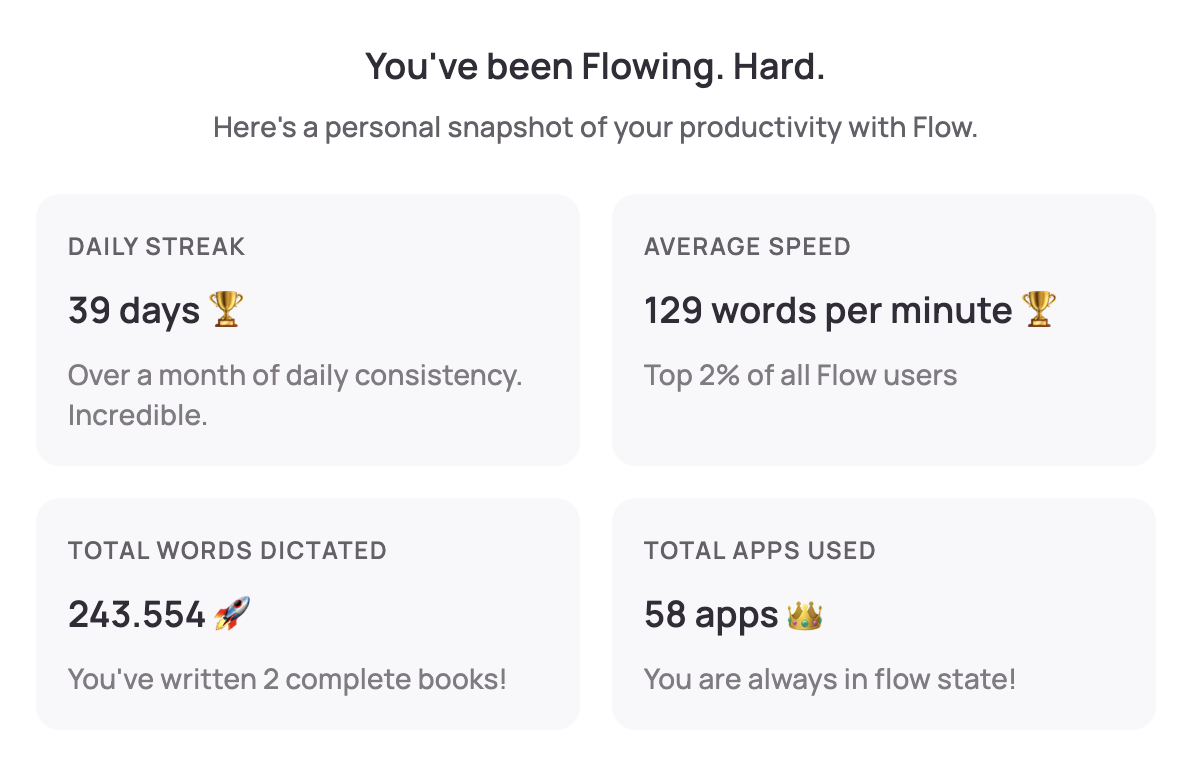
The numbers: 39-day daily streak, 129 words per minute (top 2% of all Flow users), 243,554 total words dictated across 58 different apps.
What surprised me
I became more comfortable talking to people. As a developer, I am not used to talking to people all day. Most of my communication was typed. After five weeks of constant dictation, I noticed I was significantly more comfortable in conversations, meetings, and even casual interactions. Speaking became the default mode of expression rather than something I had to switch into.
I say what I think without filtering. When you type, there is a natural bottleneck. You think of something, then you figure out how to type it, then you type it. Dictation removes the middle step. I can say whatever comes to mind, and it flows out. This matters more than it sounds, because the bottleneck is not typing speed, it is the cognitive overhead of translating thoughts into keystrokes.
Staying in flow is effortless. You do not need your hands. You can be moving around. You can be looking at a different monitor. You can have multiple things open and narrate what you are doing without ever breaking your attention to type. I recently bought two additional monitors specifically so I can keep different contexts visible simultaneously instead of switching between desktops.
You do not even need to be at your desk. I reprogrammed a presentation clicker (a laser pointer with a Karabiner-Elements configuration) so that one button triggers Fn+Space (which activates Wispr Flow) and another button sends Enter. I can walk around my room, press a button, speak, press the button again, and the text appears. If I want to submit, I press the other button. It is the laziest, most effective input method I have ever used. I highly recommend trying something like this.
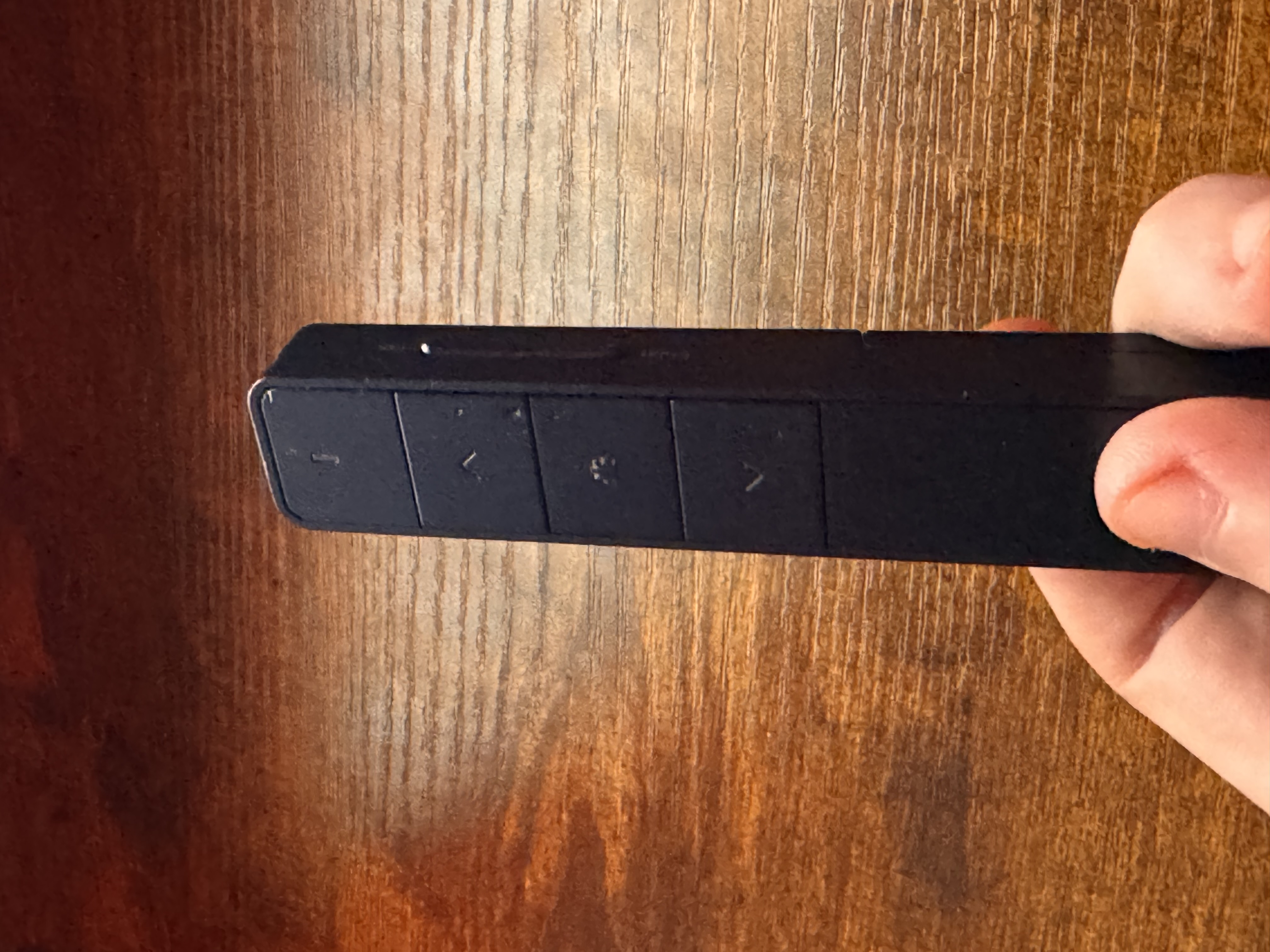
Here is the Karabiner-Elements configuration. It remaps the clicker's tab key to Fn+Space (which triggers Wispr Flow) and down_arrow to Enter, scoped to the clicker's specific device ID so it does not affect any other keyboard:
{
  "description": "Laser Pointer Remaps",
  "manipulators": [
    {
      "type": "basic",
      "from": {
        "key_code": "tab"
      },
      "to": [
        {
          "key_code": "spacebar",
          "modifiers": ["fn"]
        }
      ],
      "conditions": [
        {
          "type": "device_if",
          "identifiers": [
            {
              "vendor_id": 4643,
              "product_id": 15975
            }
          ]
        }
      ]
    },
    {
      "type": "basic",
      "from": {
        "key_code": "down_arrow"
      },
      "to": [
        {
          "key_code": "return_or_enter"
        }
      ],
      "conditions": [
        {
          "type": "device_if",
          "identifiers": [
            {
              "vendor_id": 4643,
              "product_id": 15975
            }
          ]
        }
      ]
    }
  ]
}
Why this matters for AI
I pair Wispr Flow with ChatGPT Pro and Claude's 20x plan.
When you dictate prompts instead of typing them, you provide far more context. You can discover what you need to say while you are saying it. You do not need to correct yourself or be precise on the first try, because if you provide more context as you speak, the AI understands how you arrived at your conclusion. It can synthesize a better result than if you had carefully typed out a polished, minimal prompt.
Traditionally, when we speak, we filter ourselves. We are afraid of being redundant or imprecise or embarrassing ourselves. But when you are talking to a machine, there is no social pressure. You can speak like a child, without thinking about presentation, and provide far more context than you would ever type. The machine can handle the noise and extract the signal. The result is better output, consistently, than what I get from typed prompts.
Voxtral Transcribe 2
Mistral recently released Voxtral Transcribe 2, their speech-to-text API. It offers transcription in 13 languages with speaker diarization, context biasing, and word-level timestamps. The pricing is $0.003 per minute for the batch API and $0.006 per minute for the real-time API. To put that in perspective, transcribing one hour of audio costs $0.18 with the batch API or $0.36 with the real-time API. My 243,554 words at 129 words per minute amount to roughly 1,888 minutes of speech. Transcribing all of that would have cost about $5.66 with the batch API or $11.33 with the real-time API. That is cheaper than a month of Wispr Flow Pro at $15/month, and I used it heavily every single day. You can also self-host Voxtral since the real-time model's weights are open under Apache 2.0. The raw economics make it very practical for any application that needs speech-to-text.
That said, Wispr Flow is worth every cent. It works on macOS and iOS, it auto-edits your speech, it learns your vocabulary, and it just works everywhere. The value is in the polish and integration, not just the transcription. But it is interesting to see that the underlying transcription itself has become so cheap that building on top of these APIs is very accessible.
Wispr Flow currently seems to use Whisper under the hood (the "Wispr" in the name is a play on "Whisper"). I am curious whether they will adopt an API like Voxtral, or whether the competitive landscape will push these models to converge. Voxtral does not yet have the equivalent of Wispr's custom dictionary, but Mistral does offer context biasing, which lets you provide a list of terms to improve recognition accuracy for domain-specific vocabulary.
Trying out the API
I wanted to try the Voxtral API myself. The demos on Mistral's site did not work for me because they do not support a hold-to-record interaction, which is the main use case I care about. So I threw together a simple browser-based test page to play with it.
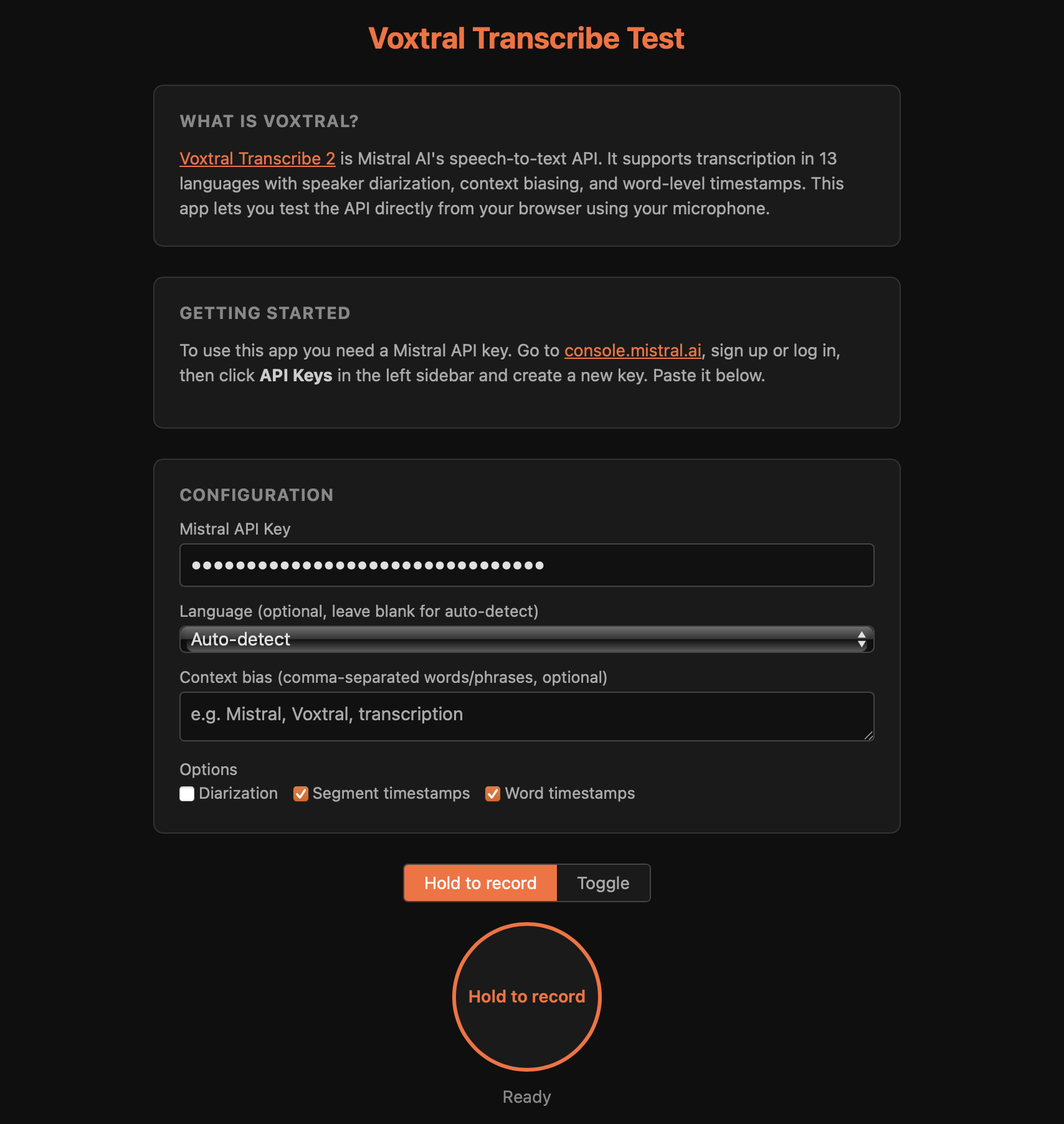
It is a single HTML page. You enter your Mistral API key, hold a button, speak, and get the transcription back with timestamps, speaker labels, and raw JSON. There is no backend. Your API key stays in your browser's localStorage and audio is sent directly to Mistral's API.
Try it here or view the source on GitHub.
You can also download the page to your desktop and run it locally. Nothing is shared, nothing is collected.
Features:
- Hold-to-record and toggle modes
- Speaker diarization (identifies and labels who is speaking at any given moment, so a recording of a conversation comes back with "Speaker 0" and "Speaker 1" labels rather than a single block of text)
- Segment and word-level timestamps
- Language selection (13 languages)
- Context biasing for custom terminology
- Copy text and raw JSON output
What I observed by building this is that Voxtral is noticeably faster than what Wispr Flow currently uses. With Wispr Flow, roughly every 30-40 messages I have to wait several seconds for the transcription to come through, and roughly every 60 to 70 messages fail completely. It is annoying, but the overall value Wispr Flow provides is good enough that I keep using it despite these issues.
The Voxtral API felt faster and I am very excited to see how reliable it becomes. If someone builds a dictation tool on top of this API, please let me know. I will be your first paying customer.
I hope more applications adopt APIs like this, and I hope it pushes the entire speech-to-text space forward. I cannot imagine going back to typing everything.
Addendum (February 10, 2026):
After this post went live, Nikita Efimov reached out to share DictationSolutions, a collection of dictation tools including WhisperInk. It is a Windows application, so I have not been able to test it, but it is nice to see people building in this space.
I also open-sourced VoxtralDictate, the macOS menu bar app I built on top of Mistral's Voxtral API. Press a keyboard combination to start recording, press it again to stop, and the transcript is pasted at your cursor. In practice, the API turned out to be noticeably slower than my initial tests suggested. I am not sure if I am doing something wrong, but compared to Wispr Flow the experience is much worse. And beyond raw speed, getting the user experience right for a dictation tool is a lot of work that I do not want to put in, since this is not something I want to build and maintain as an application. What I would love to see is an open-source dictation tool that gets the UI and UX right and makes the underlying speech-to-text API configurable, so you can swap between different providers. I am not aware of such a tool.
In other news, someone posted on Hacker News a Rust implementation of Voxtral Mini 4B that runs in the browser via WebAssembly and WebGPU. The quantized model is about 2.5 GB. I am curious whether this is how it becomes feasible to run speech-to-text locally, or on a dedicated inexpensive server. I would love to see a dictation tool that performs consistently and runs entirely locally.
* The Wispr Flow link above is a referral link. You get a free month if you use it. I do not care, I am already paying for it. But if you want to use it, feel free.